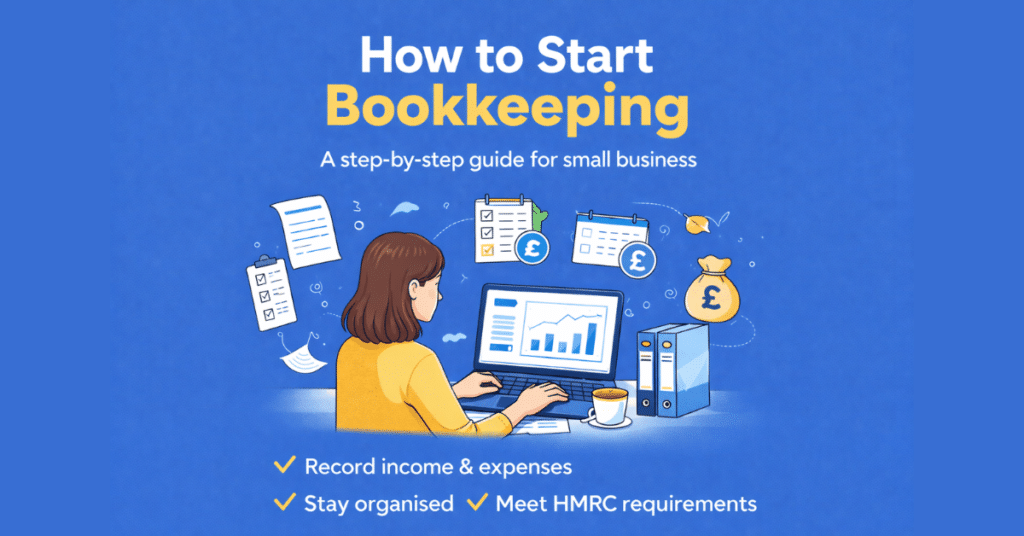
how To Start Bookkeeping for a small Business
A beginner’s step-by-step guide to recording your income and expenses, staying organised, and keeping HMRC happy – in plain English
Starting a business is exciting, but once the first invoices start coming in (and the bills start going out), it quickly becomes clear you need a system to track your money. That system is bookkeeping, and the good news is that you don’t need to be an accountant to do it properly.
This beginner’s guide takes you through the steps to start bookkeeping for your small business, from choosing how to keep your records to recording transactions and reconciling your bank account.
What Is Bookkeeping and Why Does It Matter?
Bookkeeping is simply the process of recording all the money coming into and going out of your business. Every sale, every purchase, every payment — all of it gets written down in an organised way so that you always know where you stand financially.
Disclosure: This content may contain affiliate links, which means if you click on them, I may get a commission (without any extra cost to you).
Good bookkeeping helps you to:
- Know whether your business is making a profit
- Pay the right amount of tax — no more, no less
- Complete your self-assessment tax return quickly and accurately
- Spot problems early, such as unpaid invoices or rising costs
- Apply for a loan or mortgage more easily (lenders like to see organised accounts)
- Stay compliant with HMRC requirements, including Making Tax Digital
Many small businesses fail in their first few years, and poor financial management is a major reason. Staying on top of your bookkeeping from day one puts you in a much stronger position to succeed.
💡 Tip: Bookkeeping and accounting are not the same thing. Bookkeeping is the day-to-day recording of transactions. Accounting is the analysis and interpretation of those records. As a small business owner, your job is the bookkeeping — an accountant (or accounting software) takes it from there if needed.
Step 1: Separate Your Business and Personal Finances
This is the single most important thing you can do when you start a business. Open a dedicated business bank account and use it only for business transactions — income in, expenses out.
Why does this matter so much?
- It keeps your records clean. You won’t waste hours trying to remember whether a payment was personal or business.
- It makes tax time much easier. Your bank statement becomes a reliable record of business activity.
- It’s a legal requirement for limited companies. A limited company is a separate legal entity, so you can’t mix finances.
- It improves your professional image. Clients and suppliers pay into a business account, not a personal one.

Even if you’re a sole trader, having a separate bank account makes your bookkeeping far simpler and your accounts much more accurate.
Step 2: Check Whether Making Tax Digital Applies to You
Making Tax Digital (MTD) requires businesses within its scope to keep certain records digitally and use compatible software to send information to HMRC.
If MTD applies to your business, consider the requirements when choosing how to keep your bookkeeping records. A spreadsheet may still be an option in some circumstances when used with compatible software.
Check our Making Tax Digital guide for the current rules, dates and income thresholds.
Step 3: Choose How to Keep Your Bookkeeping Records
Before you start recording transactions, decide how you will keep your bookkeeping records. You can use a spreadsheet, accounting software or ask a bookkeeper to maintain the records for you.
A spreadsheet can work well for a sole trader or small business with straightforward transactions. Accounting software offers additional features such as bank feeds, invoicing, bank reconciliation and financial reports.
If you use the cash basis, you generally record income and expenses when you receive or pay money. Accrual accounting records income and expenses when they arise. Your business structure and circumstances can affect which basis you use.
Read our Cash Basis vs Accrual Accounting guide if you need help understanding the difference.
Step 4: Set Up Your Income and Expense Categories
Instead of recording every transaction as just “money in” or “money out,” organise them into categories. This makes it much easier to understand where your money is coming from and where it’s going — and to complete your tax return correctly.
Common income categories
- Sales/service income
- Interest received
- Other income (grants, refunds, etc.)
Common expense categories
- Office costs (stationery, postage, software)
- Travel and motor expenses
- Advertising and marketing
- Premises costs (rent, utilities)
- Phone and broadband
- Professional fees (accountant, solicitor)
- Cost of goods sold
- Bank charges
- Wages and salaries (if you have employees)
- Equipment and tools
- Insurance
You don’t need dozens of categories, just enough to give you a clear picture and match what HMRC asks for on your self-assessment return. Our free cashbook template includes five income categories and thirteen expense categories, which cover the needs of most small businesses.
Step 5: Record Every Transaction
Once you’ve set up your categories, record your transactions. The golden rule is: record everything, no matter how small. A £2.50 parking fee is a legitimate business expense just like a £2,500 supplier invoice.
What to record for every transaction
- Date — when the money was received or paid
- Description — what it was for
- Amount — how much
- Category — which income or expense category it belongs to
- Payment method — bank transfer, card, cash
How often should you record?
Ideally, update your books at least weekly. Some business owners prefer to do it daily, others monthly — but the longer you leave it, the harder it becomes. Transactions get forgotten, receipts go missing, and mistakes creep in. A little and often is always better than a big annual catch-up.
⚠️ Important: HMRC requires you to keep your business records for at least five years after the 31 January submission deadline for the relevant tax year. If you’re VAT-registered, this extends to six years.
Step 6: Keep Your Receipts and Records
Back every entry in your bookkeeping records with a receipt, invoice, or other document. If HMRC asks to see your records, you need to prove your entries are correct.
What to keep
- Sales invoices you’ve sent to customers
- Purchase invoices and receipts from suppliers
- Bank statements
- Payroll records (if you employ staff)
- VAT records (if you’re VAT-registered)
- Mileage records (if you claim vehicle costs)
Go paperless
You don’t need to keep paper copies. HMRC accepts digital records, so scan or photograph your receipts as soon as you receive them and store them electronically. Free apps like Dext, AutoEntry, or even your phone’s camera can make this quick and painless. Accounting software packages such as Sage UK, Xero or QuickBooks also include built-in receipt capture.
💡 Tip: Create a simple folder structure on your computer or in cloud storage — one folder per year, with subfolders for each month. Store your receipts there as you go, and you’ll never spend hours hunting for a six-month-old fuel receipt again.
Step 7: Reconcile Your Records with Your Bank
Bank reconciliation is the process of verifying that your bookkeeping records match your bank statement. It’s one of the most valuable habits you can build as a small business owner.
Every month (or more often if you’re busy), compare your cashbook or accounting software entries to your bank statement line by line. If there’s a discrepancy, investigate it. Common causes include:
- A transaction you forgot to record
- A duplicate entry
- A bank error (rare, but it does happen)
- Timing differences (a cheque not yet cleared, for example)
Regular reconciliation means you catch mistakes early and always know exactly how much money is in your business. It also makes your year-end figures far more reliable. We offer a free bank reconciliation template to help with this process.

Step 8: Review Your Finances Regularly
Once your bookkeeping is up to date, use it. Look at your figures at least once a month and ask yourself:
- Is my income growing, holding steady, or declining?
- What are my biggest expenses — and are they justified?
- Am I making a profit? Is my profit margin improving?
- Do I have enough cash to cover my upcoming bills?
- Do any customers owe me money and haven’t paid?
Your bookkeeping records are the story of your business’s financial health. Reading that story regularly is how you make better decisions — whether that’s pricing, investing in new equipment, or knowing when to chase an overdue invoice.
💡 Tip: A simple profit and loss summary at the end of each month gives you a clear view of how your business is performing. Our free profit and loss template makes this straightforward, even if you’ve never produced one before.

Start with Our Free Cash Book Template
If you have straightforward bookkeeping needs and want to use Excel, our free Cash Book Template gives you a ready-made system for recording your income and expenses.

The template includes income and expense categories, running totals and a summary of your figures. It includes full instructions and is free to download, with no sign-up required.
Our cash book has been downloaded over 40,000 times and is available in versions designed for different bookkeeping needs, including a self-employed version that follows the UK tax year.
If you need to use Making Tax Digital for Income Tax, our free MTD spreadsheet template is designed for sole traders who want to keep digital records in Excel and prepare the cumulative figures needed for quarterly updates. You can use it with compatible bridging software to submit the figures to HMRC.
Using Accounting Software for Bookkeeping
Accounting software can be a good option if you want to automate some of your bookkeeping from the start. It can reduce manual data entry and offer features not available in a basic spreadsheet.
Depending on the software and plan, features may include:
- bank feeds
- invoicing
- expense recording
- bank reconciliation
- VAT returns
- financial reports
- Making Tax Digital support
Popular options for UK small businesses include Xero, QuickBooks and Sage. The right choice depends on your business, the features you need and your budget.
Compare the main options, features and current offers in our Best Accounting Software for Small Business guide.
Accounting Software Best Deals
XERO – 80% Discount for 6 Months – Cloud accounting, unlimited users, bank feeds, MTD compatible

QuickBooks – 90% off for 7 Months – Sole traders, easy to use, MTD-compatible

Tide – Free with Tide Bank Account – All your banking and accounts in one place, MTD compatible
FAQ on how to start bookkeeping for a small business
Can I do my own bookkeeping?
Yes. Many sole traders and small business owners keep their own records using a spreadsheet or accounting software. The important thing is to record your transactions accurately, keep the supporting documents and update your bookkeeping regularly.
Do I need an accountant if I do my own bookkeeping?
Not necessarily. You can keep your own bookkeeping records and use an accountant when you need help with accounts, tax returns or financial advice.
Keeping your bookkeeping complete and up to date also means your accountant has accurate information to work from.
How often should I update my bookkeeping?
This depends on the number of transactions you have, but weekly works well for many small businesses. If you have only a few transactions, monthly may be enough.
Avoid leaving all your bookkeeping until the end of the year, when missing receipts and unexplained transactions can be harder to resolve.
Do I need accounting software to start bookkeeping?
No. A spreadsheet can work well for a small business with straightforward bookkeeping needs. Accounting software may suit you better if you want features such as bank feeds, invoicing, VAT returns and financial reports.
If Making Tax Digital applies to you, make sure the system you choose meets the relevant digital record-keeping and submission requirements.
How long do I need to keep my bookkeeping records?
How long you need to keep your records depends on your business structure and the taxes involved. Different requirements apply to Self Assessment, limited companies, VAT and payroll records.
Check the current HMRC requirements for your circumstances and keep your records organised so you can provide them if needed.
Summary
Starting your bookkeeping with a clear system makes it easier to keep your financial records accurate and up to date. Begin by separating your business finances, checking whether Making Tax Digital applies and choosing how you will keep your records.
Record your transactions regularly, keep the supporting invoices and receipts, and reconcile your bank account to check that your records are complete. You can use a spreadsheet, accounting software or ask a bookkeeper to manage some or all of the work for you.
Once you have a routine in place, bookkeeping becomes a regular part of running your business rather than a job left until the end of the year.
Related Pages
Bookkeeping Basics: The Complete Beginner’s Guide
What Is Bookkeeping?
Free Excel Bookkeeping Templates
Best Accounting Software for Small Business